One of those things that IT teams do not consider until something goes wrong is an Endpoint Management System. A hacked laptop, an unpatched machine, a far-flung worker who joins a network without protection. Each of them has the power to undo months of security efforts in hours. And as the number of interconnected devices increases annually, the stakes have never been higher.
IBM estimates that the average cost of a data breach in 2024 was $4.88 million. Quite a good number of those breaches begin at the endpoint. When you are operating a distributed team, and you do not have a defined system of controlling those devices, you are bringing more risk than you think.
In this guide, we will discuss what an endpoint management system is, how it works, the advantages and challenges you need to be aware of, and the best practices that actually make a difference in the real world.
What Is an Endpoint Management System?
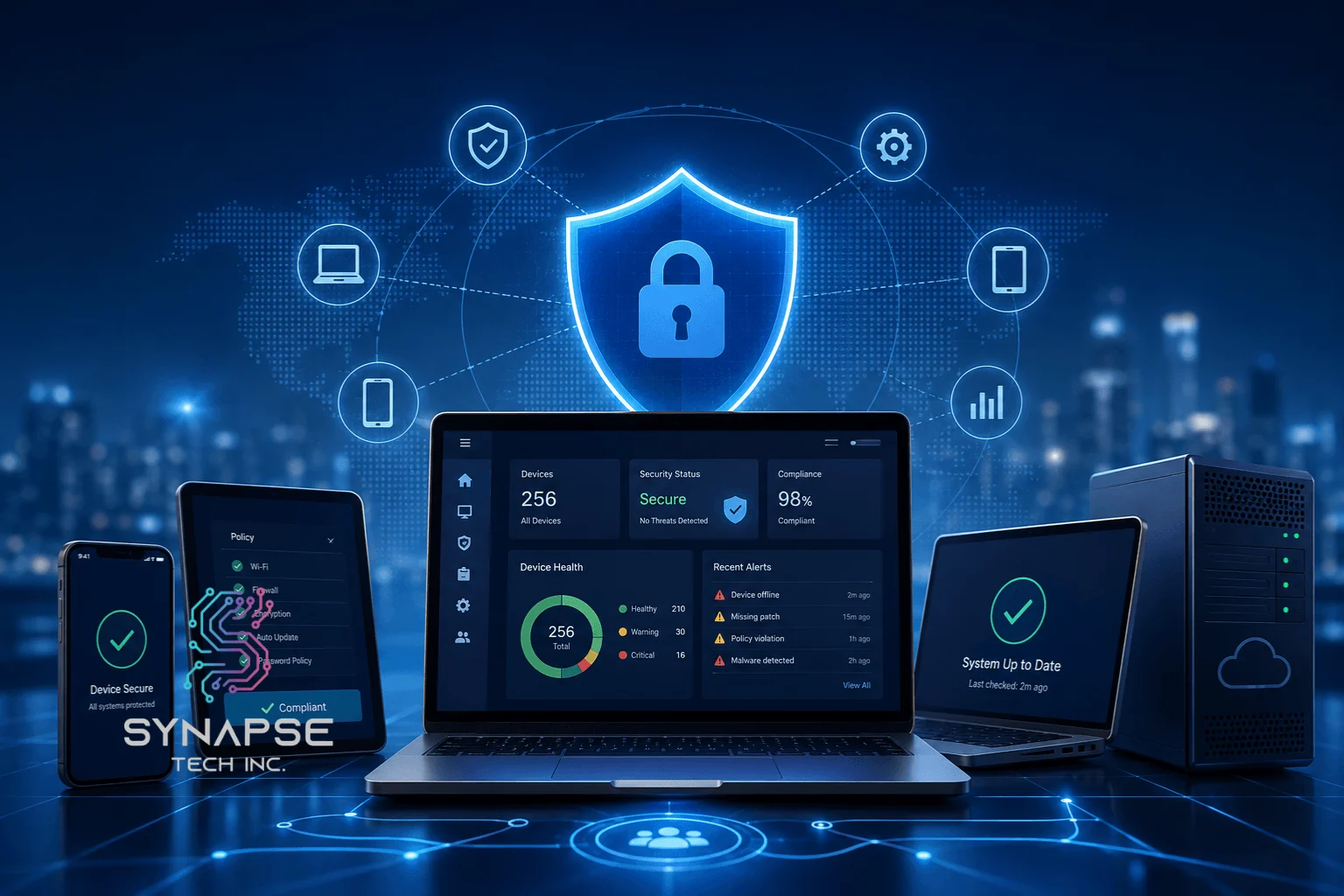
An endpoint management system is a centralized platform that enables IT teams to monitor, manage, secure, and maintain all devices connected to any corporate network: laptops, smartphones, tablets, servers, and others. It provides you with visibility and control over all endpoints with a single dashboard.
It is constructed to suit any organization, whereby the employees make use of the devices to get access to the company data. That applies to startups of 20 remote workers, mid-sized businesses operating on a hybrid work model, and large organizations managing thousands of devices in multiple locations. When your team is using devices (and every team is using devices), you need a system that will govern them.
How Does an Endpoint Management System Work?
To begin with, an endpoint management system operates on the principle of deploying a lightweight agent on all the devices under its management. That agent also communicates continuously with a central management console and provides feedback on the health of devices, their software versions, compliance status, and security posture.
Through this console, IT teams can push out software changes, enforce security policies, remotely wipe lost or stolen devices, and flag anything that is not conforming to the set compliance rules. The most successful systems will take a great deal of this into account without necessarily involving any form of manual intervention to carry out every step. Imagine that it has eyes and hands on every machine in your company, without being there.
Benefits of an Endpoint Management System
- Decreases the Risk of Data Breaches: Each monitored and patched device is one more entry point for attackers. Organizations that have well-established endpoint security initiatives have 50% fewer successful cyberattacks, according to Ponemon Institute.
- Streamlines Device Offboarding And Onboarding: An endpoint management system automates both processes, ensuring new hires receive the appropriate tools on their first day at work – and departing employees lose access on the spot.
- Supports Hybrid And Remote Workforces: Modern endpoint management systems provide exactly the same security policy to remote and on-premise devices in equal measure – regardless of where your employees are working.
Challenges In Endpoint Management System
- Device Sprawl: The vast majority of organizations cannot even guess at the number of endpoints they actually have until they complete their first full audit. Unmanaged devices are all too real, and you cannot secure against them.
- Shadow IT: The employees usually install unauthorized programs or bring their personal devices without informing anyone. These endpoints are not within your management system, nor within your protection.
- Compliance Risk: In regulated sectors such as healthcare and finance, a single unpatched device may result in audit failures and huge fines. Failure to comply is not merely a security issue, but also a legal issue.
Best Practices For Endpoint Management
Adopt A UEM Solution
Unified Endpoint Management (UEM) is a type of management platform that includes all types of devices, such as mobile, desktop, and IoT devices. As an example, a UEM solution provides a single console, a single policy engine, and a single source of truth, instead of having a separate set of tools to use with laptops and smartphones. That simplicity minimizes the gaps to the maximum.
Use EDR Tools
Endpoint Detection and Response (EDR) tools are more than simple antivirus software because they are active monitors of devices and raise a red flag of suspicion in real time. I once worked with a financial services firm that assumed antivirus software was enough. It wasn’t. A malicious script sat undetected on a finance team laptop for six days before anyone noticed — by then, the damage was done.
We assessed their environment, identified the visibility gaps, and deployed a custom EDR integration built around their existing setup. No ripping and replacing — just the right fix in the right places.
Mean time to detect dropped from six days to under 20 minutes. The threat was always there. They just couldn’t see it.
Automate Onboarding And Offboarding
Manual provisioning is tedious, sporadic, and prone to mistakes. Automation of the process makes sure that each new device is set properly at the very beginning, and access of each departing employee is terminated immediately upon his or her departure, and not a few days later when somebody recalls that he or she should have done it.
Enable Remote Monitoring And Support
Lastly, your IT team does not have to be in the same room as a device in order to repair it. Remote monitoring and endpoint management systems allow your team to diagnose, push patches, and support across all locations. In the case of distributed teams, this is not a nice-to-have, it is a necessity.
Enable Role-based Access Control
Not all employees require access to all systems. Role-based access control will mean that individuals will only have access control privileges pertinent to their job role. This restricts the blast radius of any account that has been compromised, and helps keep sensitive data where it needs to be, rather than where it would be spread to.
Case Study: How Synapse Helped A Healthcare Company Drop Their Support Tickets By 45%
A mid-sized healthcare company approached Synapse with the problem of managing more than 800 endpoints in three locations. With no central visibility and a mix of outdated tools, their IT team was stuck spending nearly 60% of their time chasing device issues instead of focusing on meaningful work.
Synapse made it easy by creating a custom endpoint management tool that connected all the machines into a single, simple-to-use dashboard. They also automated patch updates and came up with role-based access controls.
Within only 90 days, the number of support tickets was reduced by 45%, the patches compliance was improved to 98%, and the IT department finally got back to hours per week, freeing them up to do more strategic work.
Conclusion
In conclusion, an endpoint management system is no longer optional, but it is the key to a functioning, secure IT operation. Any untamed device serves as a vulnerability in your defenses, and these vulnerabilities quickly accumulate.
With a lean IT team, begin with a UEM solution and EDR tools. When you are dealing with a complicated, distributed environment, you cannot afford an off-the-shelf product that fits almost but not perfectly.
Read More: Managing Enterprise Data: 10-Step To Turn Chaos Into Competitive Advantage
That’s exactly where Synapse comes in. The custom enterprise endpoint management solutions provided by Synapse are tailored to meet the needs of organizations that are no longer satisfied with general platforms. Starting with the device visibility in one place, moving through automated compliance enforcement, and real-time threat response, Synapse develops a system that fits your environment precisely, not the other way around.
Simply put, when you are serious about securing your endpoints and are able to free up your IT team to work on what actually matters, then contact Synapse today and let us build the right solution to your business.
FAQs
What is the difference between EDR and endpoint management?
Endpoint management controls, configures, and maintains the devices – including patch management, software deployment, and compliance. EDR is a security-specific tool that observes the behaviour of devices and responds to threats in real time. They have various functions, but they perform optimally in combination.
How do endpoint management systems handle remote workers?
IT teams can use cloud-based consoles and device agents to monitor health, push updates, enforce policies, and remotely wipe devices – no matter where the employee is located. Distance is no longer a controllable barrier.
What’s the best EPM tool for small businesses?
Services such as Microsoft Intune or Jamf are good beginnings when working with smaller teams. Nonetheless, when you are in a regulated industry or are growing rapidly, a bespoke solution is going to save you far more in breach costs and compliance fines in the future.